
 GitHub
open source · MIT · android closed beta open now
A real terminal,
in your pocket.
Fressh is a mobile SSH client built around the Alacritty terminal engine — the same battle-tested VT core and GPU renderer that powers one of the fastest terminals on the desktop, running natively on your phone. No WebView. No compromises.


$ ssh deploy@prod-web-01
host key verified · ed25519 · trusted on first use
deploy@prod-web-01:~$ uptime
14:32:07 up 212 days, 3:11, 1 user, load average: 0.04, 0.07, 0.05
deploy@prod-web-01:~$ echo "rendered by alacritty"
rendered by alacritty
deploy@prod-web-01:~$
android beta
Help Fressh launch on Google Play.
Before an app can go live on the Play Store, Google requires a closed test with at least 12 opted-in testers for 14 days. Three steps and you've directly unblocked the launch — and you get the app first.
- 01
Join the testing group
Join the Fressh Android Testing group with the Google account tied to your Play Store. Google only lets group members into the test, so this step is required.
- 02
Opt in to the test
Once you've joined the group, accept the invite at play.google.com/apps/testing/dev.fressh.app.
- 03
Install and keep it
Grab the app from Google Play and stay opted in — Google counts testers over a continuous 14-day window.
iPhone user? The iOS build goes through TestFlight instead — watch the GitHub repo for updates.
powered by alacritty
SSH bytes never touch JavaScript.
Most mobile SSH apps render the terminal in a WebView. Fressh ships the real thing: Alacritty’s terminal core and renderer compiled into one native library, with React Native only driving the chrome around it.
- 01
russh
Rust SSH transport — auth, channels, and crypto, fully native
- 02
alacritty_terminal
Alacritty’s VT engine parses every byte into durable terminal state
- 03
GPU renderer
Alacritty’s GLES renderer draws the grid — ANGLE→Metal on iOS, GLES on Android
Consistent visuals
One render layer for both platforms — iOS and Android draw the exact same glyphs, colors, and cursor.
Fast and durable
Rendering stays off the JS thread, and the terminal state lives in native code — sessions reattach tmux-style with full scrollback.
features
Clean and simple, without giving anything up.
✓Secure connection history
Hosts and credentials live in the device keychain, never in plain storage.
✓SSH keys
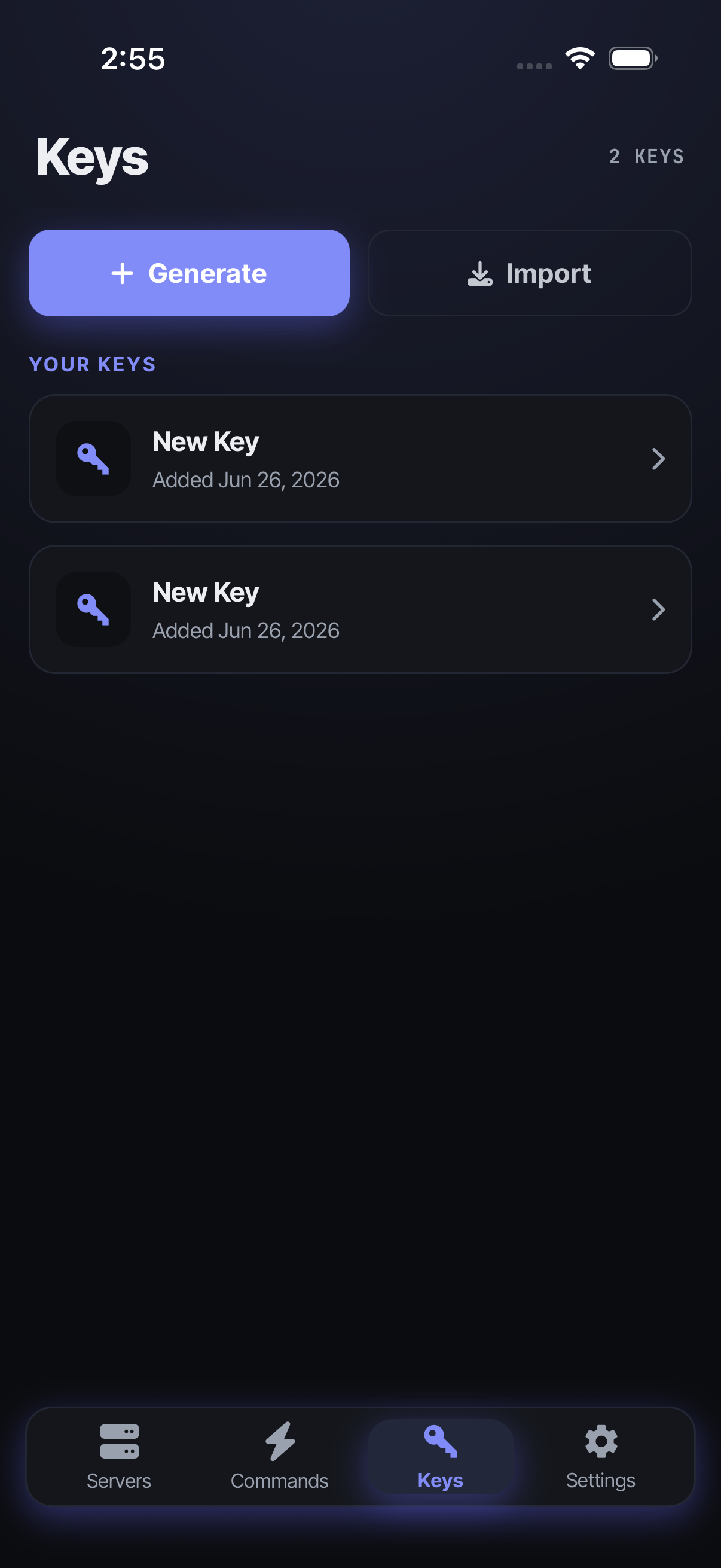
Generate ed25519 keys on-device or import the ones you already use.
✓Host-key verification
Trust-on-first-use prompts backed by a known-hosts store.
✓Command presets
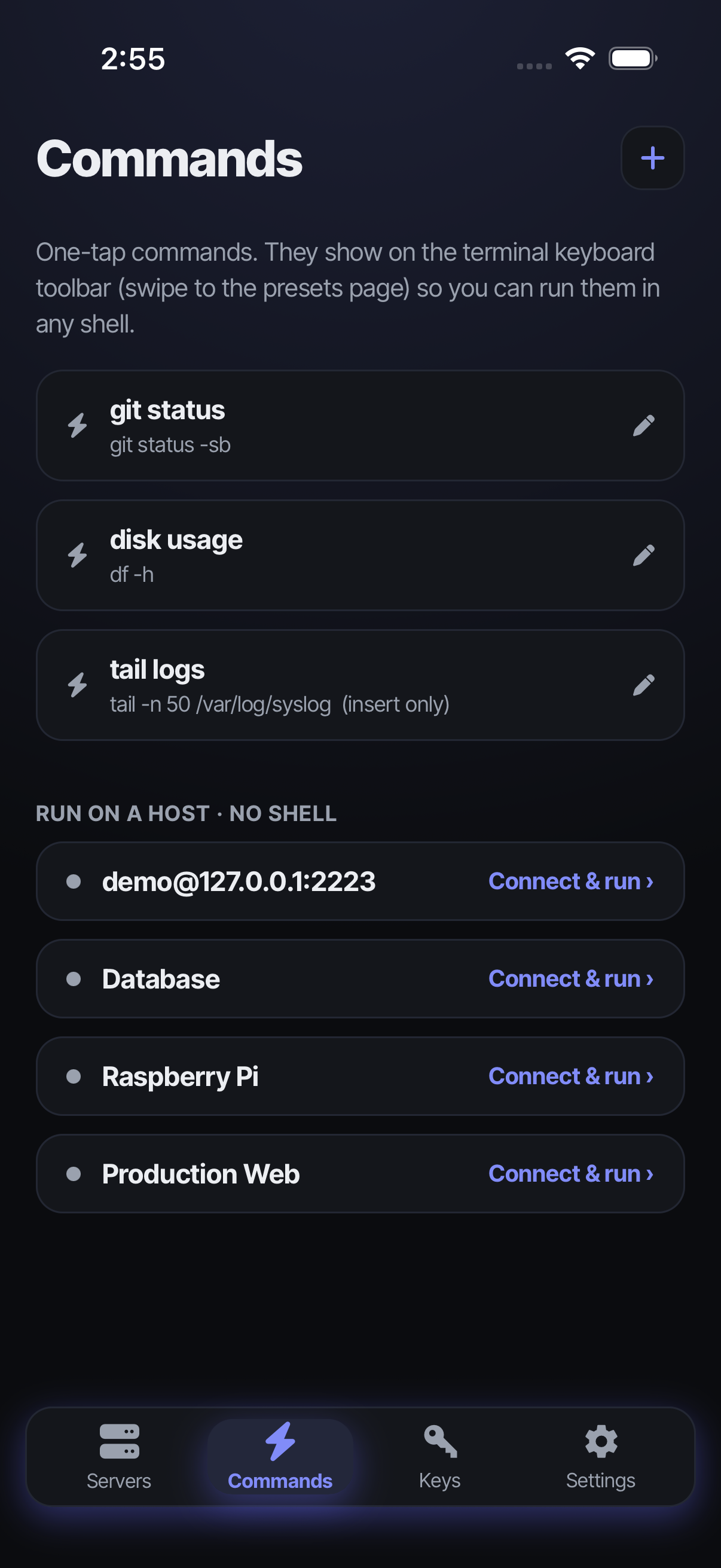
Your most-used commands, one tap away on the terminal toolbar.
✓Session reattach
Leave and come back — sessions survive with full scrollback, tmux-style.
✓Theming
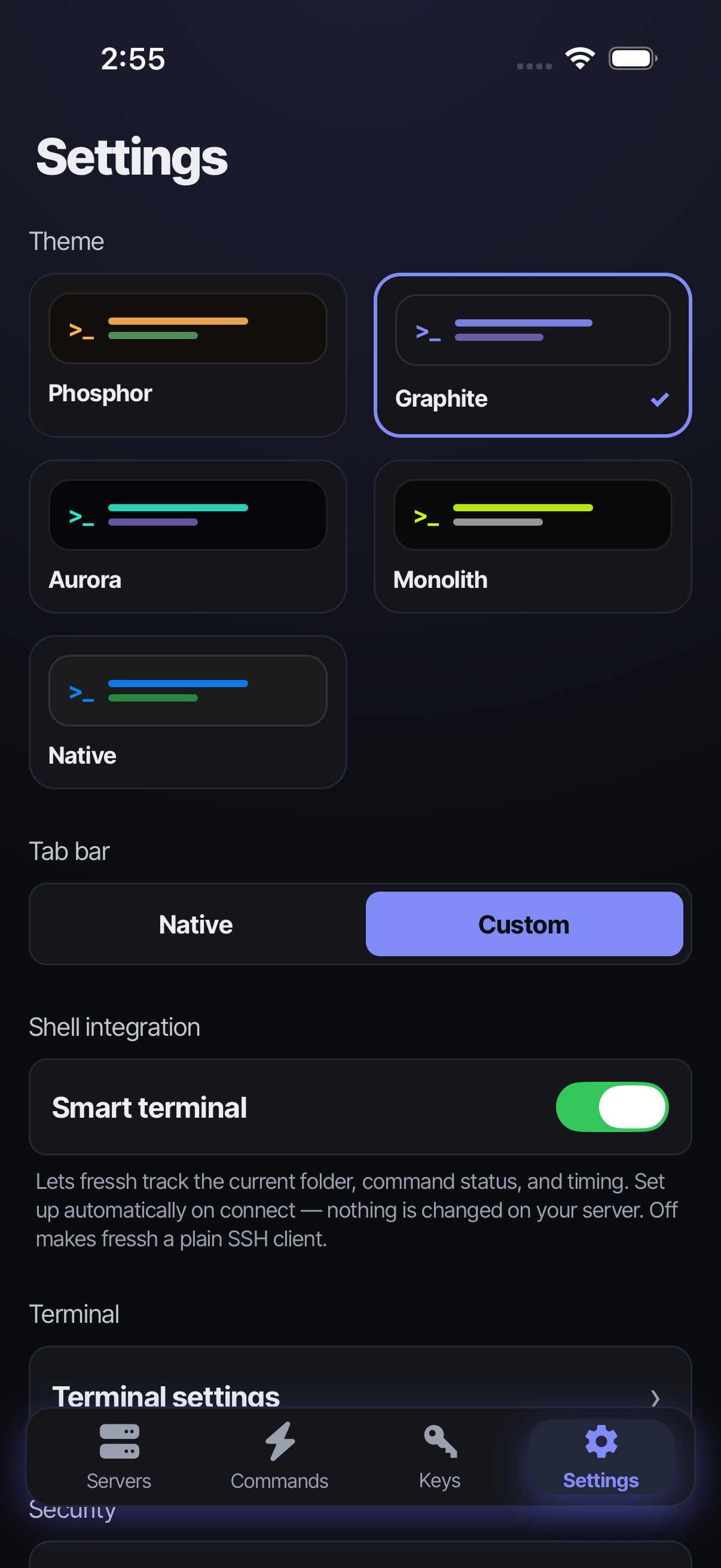
Five distinct themes that restyle the whole app, not just the terminal colors.
coming soon
On-device LLM for command completion and output summarization — no cloud round-trips for your shell history.
themes
Pick a personality.
Each theme restyles the entire app — typography, shapes, glow, and canvas — not just a color palette.
Phosphor
warm CRT amber, scanlines, lowercase mono
Graphite
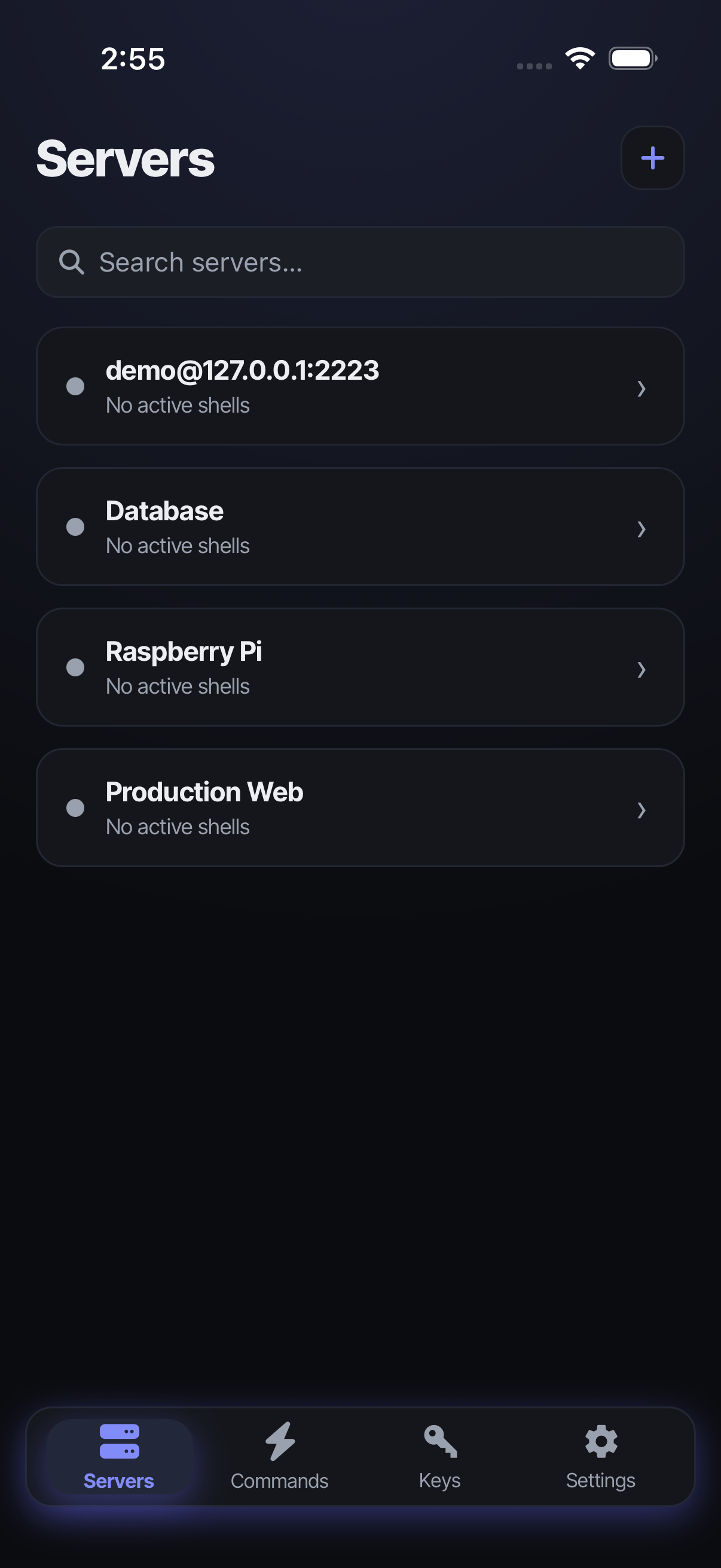
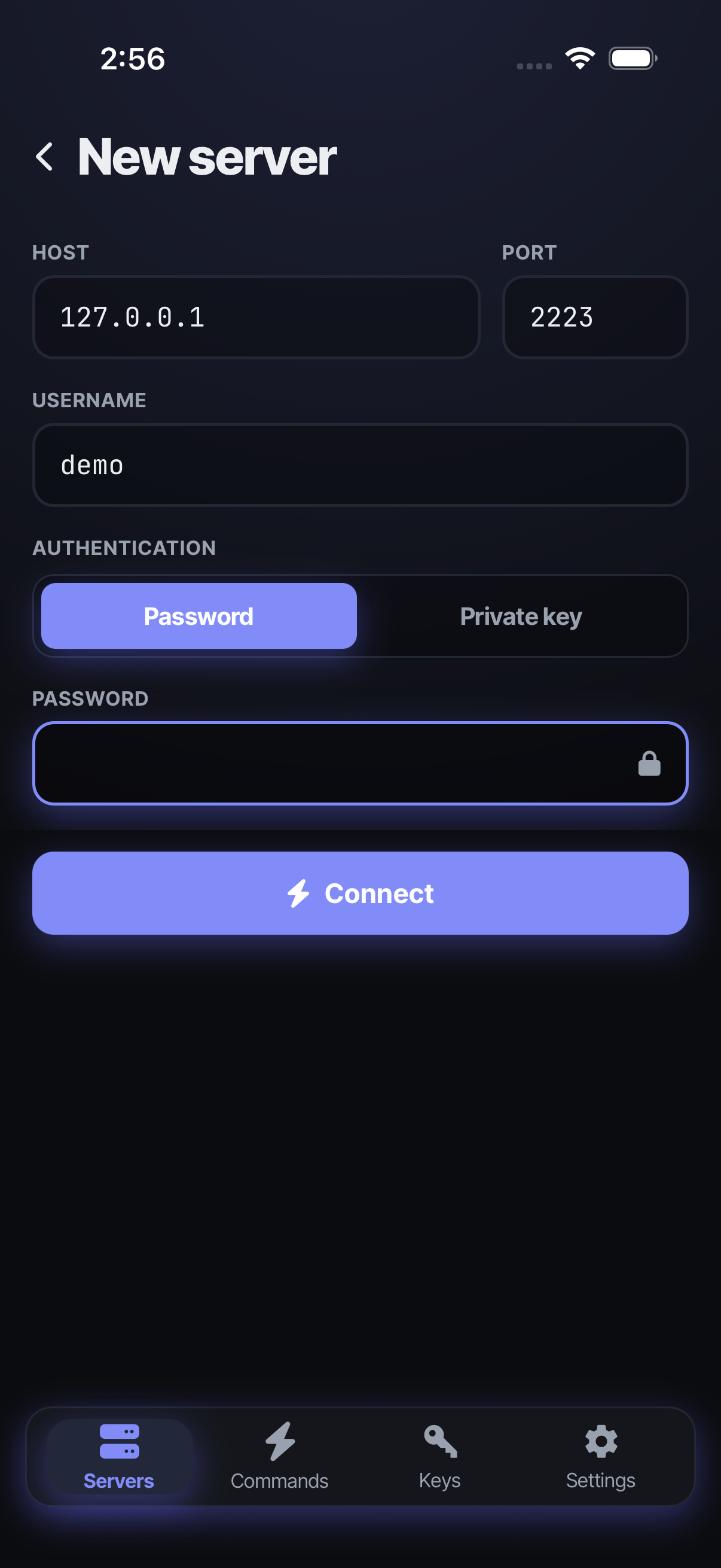
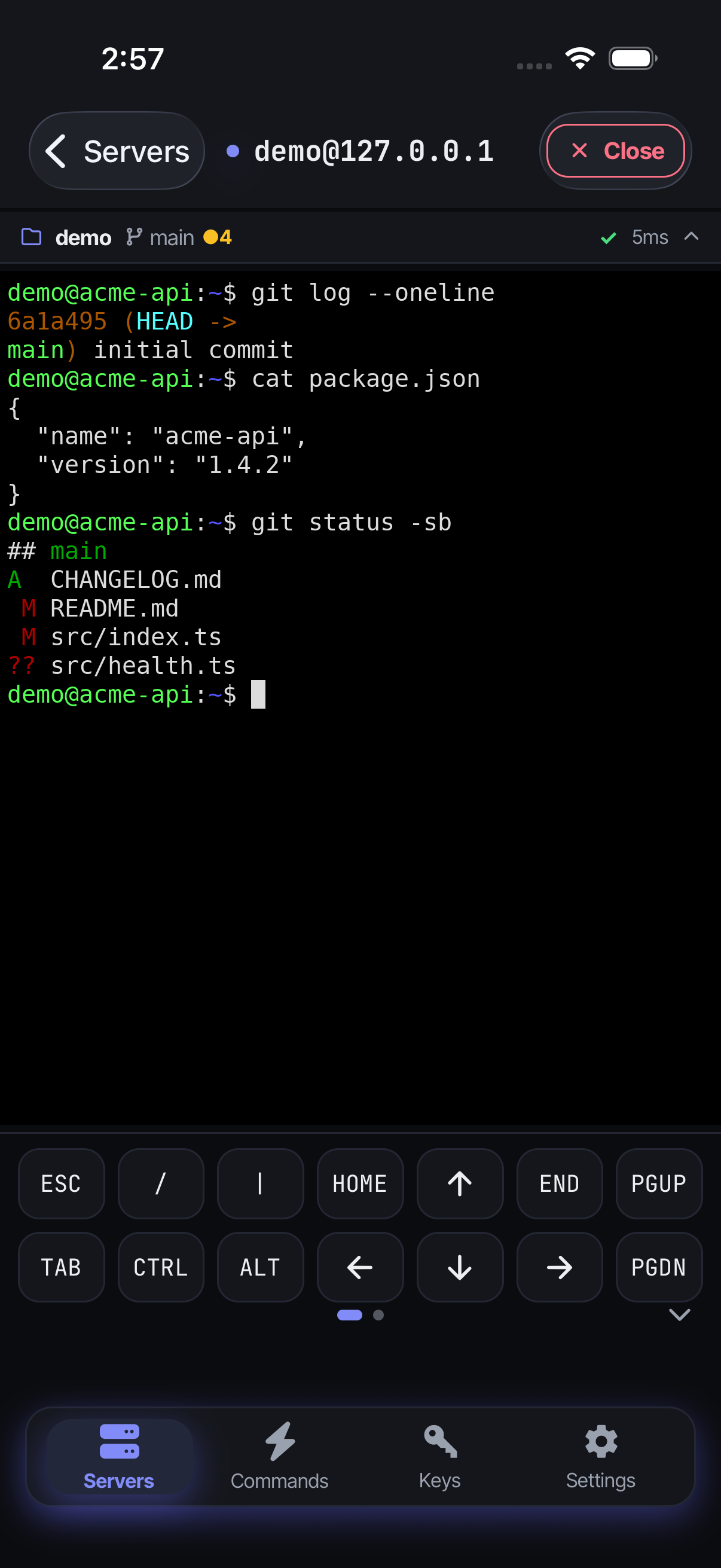
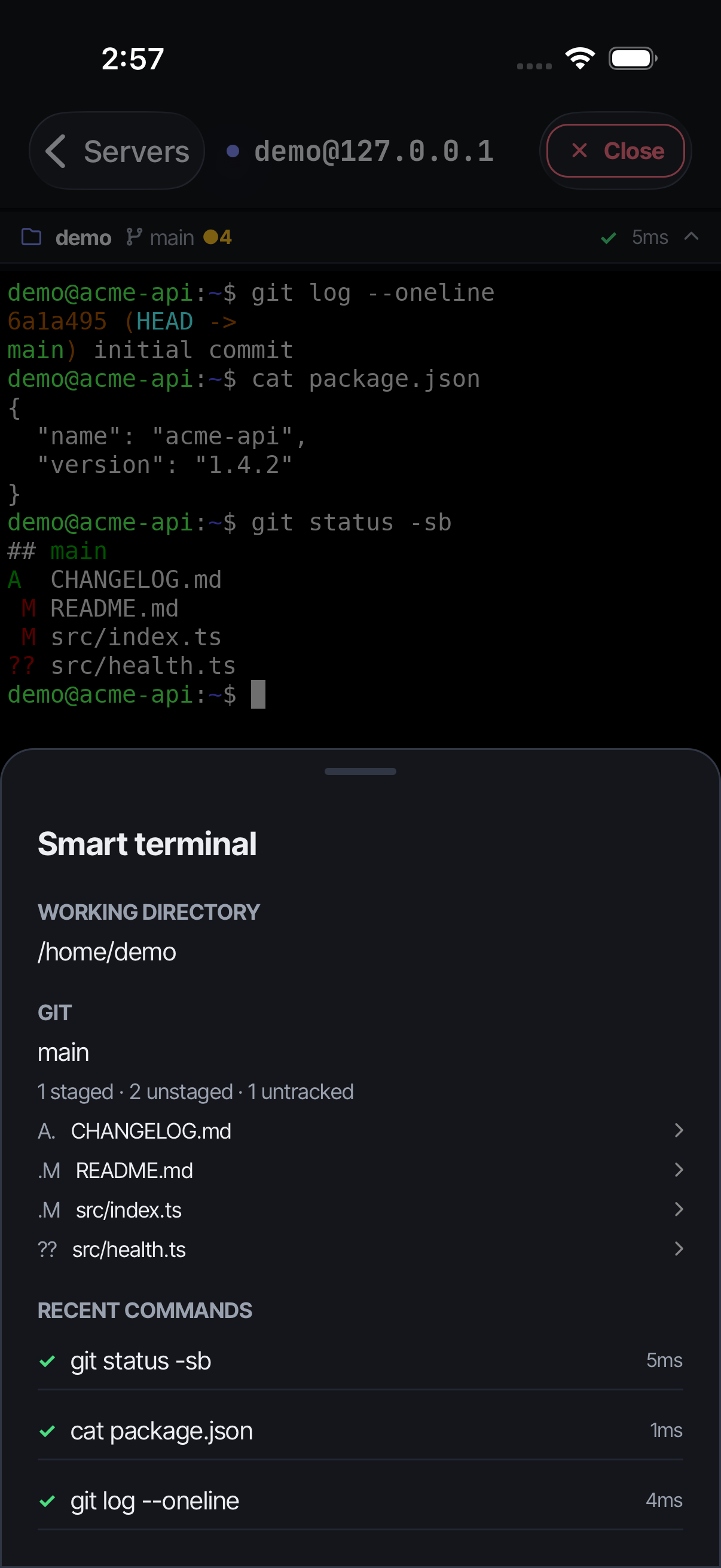
cool indigo, quiet and focused
Aurora
frosted glass, drifting gradient blobs
Monolith
brutalist, sharp edges, ALL CAPS
Native
feels like the OS — SwiftUI / Material 3
screenshots
See it in your theme.
Browse every screen, per theme and per platform.
open source
Free. No paywalled SSH.
Some mobile SSH clients lock basics like one-off commands behind a subscription. Fressh is MIT-licensed and free — and the native terminal core is published on npm for any React Native app to use.

The native terminal package: SSH via russh, a durable VT engine via alacritty_terminal, and Alacritty’s GPU renderer — all in one native library you can drop into your own React Native app.
bun add @fressh/react-native-terminal View on npm